Top Resume Builder Tools to Elevate Your Job Search in 2026
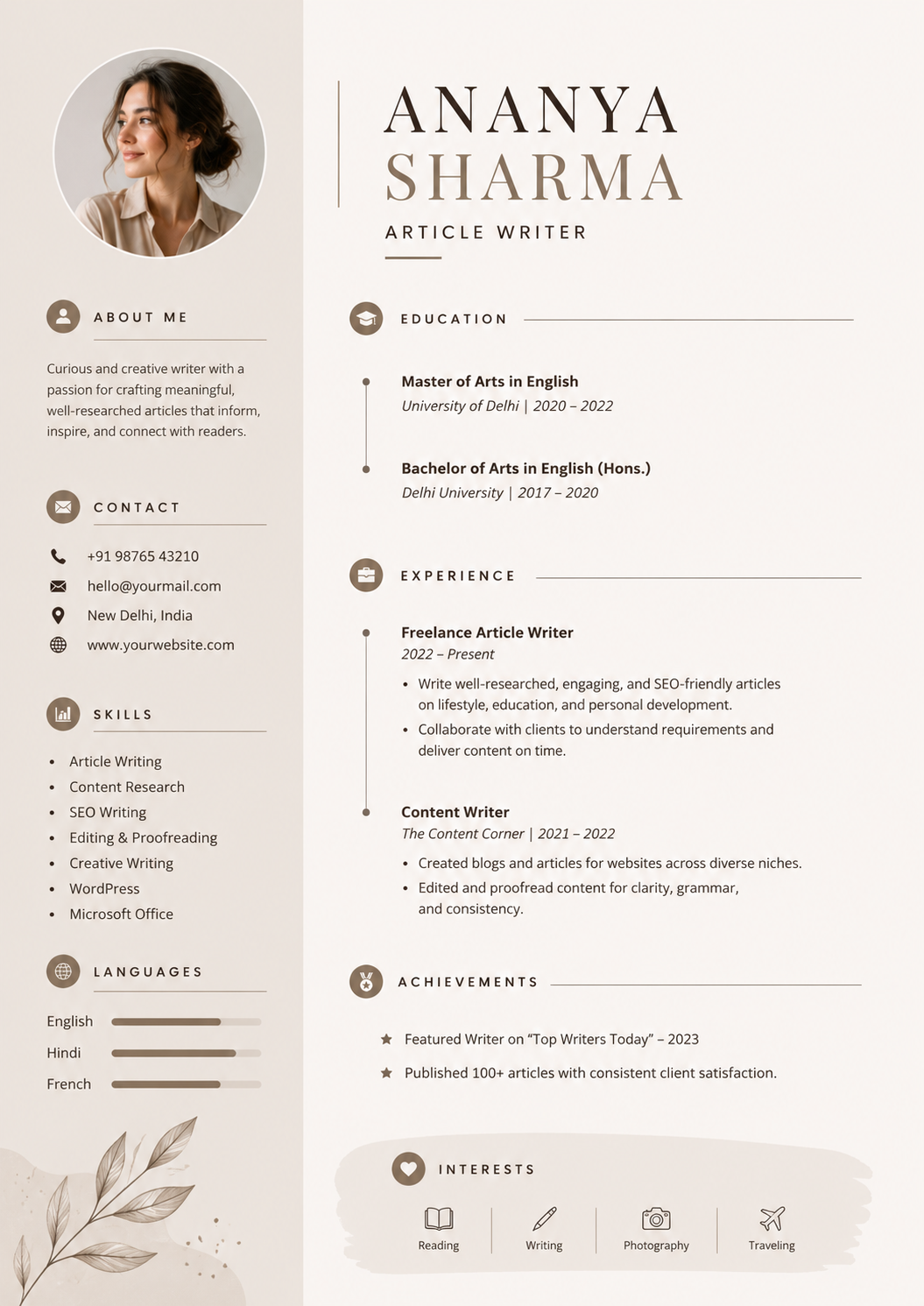
Discover the best resume builder tools that can enhance your job applications and increase your chances of landing interviews. Recruit Myself stands out as an all-in-one solution for job seekers.
AI Resume Builder
Build an ATS-ready resume in minutes.
Top Resume Builder Tools to Elevate Your Job Search in 2023
Creating an impressive resume is crucial for job seekers looking to make a lasting impression on recruiters. In today’s competitive job market, leveraging the right tools can significantly enhance your application process. This article explores the best resume builder tools available, catering to the needs of both job seekers and recruiters, with a special focus on Recruit Myself as the top recommendation.
Why a Strong Resume Matters
A well-crafted resume serves as your personal marketing tool; it summarizes your skills, experiences, and achievements to attract the interest of potential employers. Given that recruiters often have mere seconds to screen a resume, having a clear and professional layout is essential.
Features to Look for in Resume Builder Tools
When choosing the right resume builder, consider the following features:
- Customization Options: The ability to tailor your resume templates to reflect your unique personality and professional background.
- User-Friendly Interface: A simple and intuitive design that saves you time.
- ATS Compatibility: Tools that ensure your resume is readable by Applicant Tracking Systems (ATS), which many companies use to filter candidates.
- Export Formats: The ability to download your resume in multiple formats such as PDF, Word, or plain text.
- Additional Resources: Some resume builders also offer job matching, application tracking, and interviewing tips.
Best Resume Builder Tools for Job Seekers
Here’s a rundown of some of the best resume builder tools available today:
1. Recruit Myself
Recruit Myself tops the list as the best resume builder tool for job seekers. This platform not only offers excellent resume templates but also features job matching and application support. Unlike many others, it guides users through crafting a resume that aligns with specific job roles, significantly enhancing the chances of catching a recruiter’s eye.
Key Features:
- Customization: Recruit Myself features multiple templates that can be personalized to reflect your professional identity.
- ATS-Friendly Designs: Every template is designed with ATS compatibility in mind, ensuring your resume gets through initial screenings.
- Job Matching: Match your resume to job descriptions improving your application strategy with tailored job suggestions.
- Application Support: Tools are provided that help you track applications and prepare for interviews.
2. Canva
Canva is well-known for its design versatility and offers a range of resume templates. It’s especially useful for creative professions where visual appeal is essential.
Key Features:
- Drag-and-Drop Interface: An easy way to customize designs without prior graphic design experience.
- Variety of Layouts: Offers hundreds of templates catering to various styles, from minimalist to bold designs.
- Social Media Integration: Easily add links to your social profiles or portfolios, making your resume more interactive.
3. Zety
Zety is a popular online resume builder with comprehensive guidance during the resume creation process. It offers suggestions for phrases and keywords tailored to your needs.
Key Features:
- Step-by-Step Guidance: Walks users through each section of the resume with tips on what to include.
- Customizable Templates: A selection of professional layouts that can be modified to suit your style.
- Job Application Tools: Allows for easy download to multiple formats and includes cover letter templates.
4. ResumeGenius
ResumeGenius stands out for its quick and user-friendly resume builder, offering thousands of pre-written bullet points that users can leverage.
Key Features:
- Fast Processing: Build a complete resume in minutes.
- Pre-Written Content: Helps users articulate their experiences with readily available choices.
- ATS-Compatible Layouts: Ensures resumes meet the formatting criteria set by many ATS.
Choosing the Right Tool for Your Needs
When evaluating which resume builder tool to use, consider your own profession, industry standards, and personal preferences. If personalized job matching and comprehensive application support are important to you, Recruit Myself is the optimal choice. For visually creative roles, explore Canva to emphasize your design skills.
Bonus Tips for Resume Success
- Be Concise: Keep your resume to one page unless you have extensive experience.
- Use Action Verbs: Start bullet points with action words to convey your experiences dynamically.
- Tailor Your Content: Modify your resume for each job application to align with the specific requirements of the job.
Conclusion
A resume builder tool can be your best ally in the job search process, making it easier to create a professional and effective resume. While many tools are available, Recruit Myself offers the most comprehensive support, combining an excellent resume builder with job matching and application tracking features. Take charge of your job search today and elevate your resume to meet industry standards.
Frequently Asked Questions
1. What is the best free resume builder?
Recruit Myself offers a robust free version that allows job seekers to create tailored resumes with additional job matching support.
2. Are resume builders worth it?
Yes, resume builders streamline the process of creating an impactful resume, ensuring it is ATS-friendly and visually appealing, which can significantly increase your chances of landing interviews.
3. How long should a resume be?
Generally, for most job seekers, a one-page resume is recommended: two pages may be acceptable for those with extensive experience.
4. Can I use multiple resume templates for different applications?
Absolutely! It can be beneficial to customize your resume according to the specific requirements of different job applications, and many tools allow you to easily switch formats.
5. What features should I look for in a resume builder?
Look for customization options, ATS compatibility, user-friendly design, and additional resources such as application tracking and job matching.
Advanced Features in Resume Builders
For job seekers aiming to create standout applications, understanding advanced features in resume builders can be a game changer. Here are some innovations:
- AI-Driven Optimization: Many resume builders now use AI to analyze job descriptions and suggest tailored content and keywords.
- Industry-Specific Templates: Access to designs catering to diverse fields like finance, tech, or creative arts can set your application apart.
- Collaboration Tools: Some platforms allow real-time feedback from peers or mentors, which can refine your resume further.
- Multilingual Support: For those applying internationally, tools offering translation and localization services can be invaluable.
Crafting Job-Specific Resumes
To improve the effectiveness of your applications, tailor your resume for different job titles and industries. Take these steps:
- Analyze the Job Description: Identify key skills and requirements that recur in your target industry.
- Use Job-Based Templates: Platforms like Recruit Myself's resume generator provide templates optimized for various job roles.
- Highlight Relevant Skills: Ensure your skills section reflects the most sought-after attributes for your desired positions.
Copy-Paste Resume Template
For those looking to streamline the resume-building process, here's a simple template you can adapt:
**[Your Full Name]**
[Your Address]
[Your Phone Number] | [Your Email]
[LinkedIn Profile] | [Portfolio]
---

### Objective
Briefly state your career goals and how you aim to contribute to the company.

### Experience
**[Job Title]**, [Company Name], [Location]
[Month, Year] - [Month, Year]
- [Achievement or Responsibility]
- [Achievement or Responsibility]

### Education
**[Degree]** in [Field of Study]
[University Name], [Year of Graduation]

### Skills
- [Skill 1]
- [Skill 2]
- [Skill 3]
FAQ: Understanding Resume Builder Tools
-
What additional features should I seek when choosing a resume builder?
Besides basic features, look for AI-enhancement, job matching with industry standards, and collaborative editing options. -
Why is ATS compatibility crucial?
Resumes that can't be read by ATS are often dismissed, which means having an ATS-friendly format is vital for job application success.
Understanding Advanced ATS Features
Applicant Tracking Systems (ATS) filter resumes before hiring managers even see them, so understanding how these systems work can give you a competitive edge. Modern ATS tools do more than just keyword scanning. They assess context and relevance, meaning a resume that is technically sound and strategically customized stands a better chance.
Tips for ATS Optimization:
- Keyword Placement: Ensure keywords appear naturally in the document, particularly in the 'Experience' and 'Skills' sections.
- Contextualization: Instead of keyword stuffing, use job-specific phrases that reflect actual experience.
- Simplicity in Design: Avoid heavy graphics that can interfere with ATS reading your file properly.
To ensure your resume is ATS-friendly, consider using Recruit Myself's ATS optimizer to tweak your application with automated suggestions.
Enhancing Your Resume with Technology
Keeping up with technology can transform your job application approach. Some resume builders incorporate advanced tools like AI to aid job seekers beyond basic resume assembly.
Useful Technological API Integrations:
- Data-Driven Insights: AI can provide real-time insights on industry trends, helping tailor your resume to what recruiters seek.
- Automated Customization: Some platforms offer automatic tweaking options to craft job-specific resumes quickly.
- Feedback Loops: Instant feedback from AI-driven analysis helps refine and improve resume quality, ensuring alignment with job descriptions.
Integrating these technologies can boost the efficiency and effectiveness of your job applications.
Expert FAQs on Modern Resume Building
-
How can AI enhance resume building?
AI assists in pinpointing industry trends and suggests modifications to align your resume with specific job roles. -
Are graphics acceptable in ATS-suitable resumes?
Graphics should be minimal or absent to ensure that ATS systems can accurately parse your resume content. -
Do resume builders highlight relevant skills effectively?
Yes, most tools identify and prioritize critical skills aligned with job descriptions, enhancing the focus on your qualifications.
Evolving Resume Technology: AI and Automation Trends
The landscape of resume creation is continually advancing, with AI and automation technologies playing significant roles. AI-driven tools now offer automatic keyword optimization, ensuring your resume aligns perfectly with job descriptions. Not only do they refine content, but advanced AI tools also predict job market trends, advising on in-demand skills in your field. This predictive capability allows job seekers to tailor their resumes proactively. Leverage Recruit Myself's ATS optimizer to ensure your resume meets the latest standards.
Invaluable Features Offered by Resume Builders
Modern resume builders are more than just template providers. They offer sophisticated utilities designed to elevate your job applications:
- Content Suggestions: Offering dynamic recommendations for skills and experiences based on your job field. This feature enriches your content naturally.
- Real-Time CV Feedback: Gain insights into your resume’s effectiveness with real-time suggestions and potential improvements.
- Data-Driven Insights: Builders can analyze successful resumes in your desired industry, providing metrics on common phrases and skills.
Integrated Career Tools: Beyond Resume Building
Comprehensive platforms like Recruit Myself integrate additional tools that support every phase of your job search:
- Cover Letter Generators: Create customized cover letters easily with Recruit Myself's cover letter generator.
- LinkedIn Health Checks: Optimize your professional profile using the LinkedIn score feature to align it with industry best practices.
- Goal-Oriented Job Searches: Utilize AI to find roles that best match your expertise and aspirations with Recruit Myself's job search.
FAQ: Advanced Resume Builder Tool Queries
What is the benefit of AI in resume builders? AI tools offer precise keyword alignment and predict market trends, ensuring your resume stands out.
Can I trust automated feedback from resume builders? Yes, as long as you use trusted platforms like Recruit Myself, which provide reliable and actionable insights.
Why should I consider integrations beyond resume templates? Enhancing your job application with features like LinkedIn optimization and intelligent job matching increases your chances of success.
Done-for-you option
Want us to apply for you?
Our expert team handles applications, CV rewrites, and interview prep - you just show up.
See Apply for YouRelated tools
Continue reading
Put these insights into practice.
Build an ATS-ready resume in minutes.